
Download Shift Manager – shift tracking, work hours, time tracking, salary calculator, job tracker, work calendar, shift manager, pay calculator, employee tracker, working hours app
Overview
Shift Manager – Working Hours Tracker is a dedicated productivity tool designed for individuals managing multiple shift-based jobs. The application enables users to monitor their working hours, track earnings, and maintain detailed records of their work activity across various employers. It is particularly suited for gig workers, part-time employees, and those juggling multiple roles who require an organized method to manage their schedules and income.
The app provides a centralized platform for logging shifts, calculating pay, and reviewing monthly work summaries. It supports manual shift entry, tip tracking, and customizable job settings, allowing users to tailor the experience to their unique work patterns. With the ability to differentiate between regular work, paid days off, and paid sick days, Shift Manager helps users maintain accurate records for personal finance planning or tax preparation.
The app also includes functionality to calculate deductions such as federal and state taxes, as well as state disability contributions. Developed by Coffee Time, Shift Manager is positioned as a secure, user-focused solution for shift workers seeking clarity and control over their work history and compensation.
Key Features & Capabilities
- Manual Shift Entry: Users can manually input start and end times for each shift, enabling accurate tracking even when automatic logging is not available.
- Tip Tracking: The app allows users to record tips earned per shift, which can be included in total earnings for a more precise income overview.
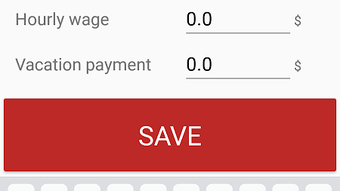
- Multi-Job Support: Customizable settings allow users to manage multiple jobs simultaneously, each with its own pay rate, workplace details, and tracking preferences.
- Integrated Calendar View: A monthly calendar provides a visual summary of all shifts, making it easy to see work patterns and plan future availability.
- Travel Expense Calculation: Users can log and calculate travel costs associated with each shift, supporting expense reporting and reimbursement planning.
- Flexible Work Status Classification: The app distinguishes between day work, paid day off, and paid sick leave, improving accuracy in income and hours reporting.
- Global Currency Support: Shift Manager accommodates all major currencies, making it accessible to users across different regions and countries.
- Deduction Calculator: The tool can compute mandatory deductions including federal tax, state tax, and state disability, offering a clearer picture of net earnings.
- Security Lock: A built-in locking mechanism protects user data from unauthorized access, particularly useful for users with shared devices or children.
These features collectively support real-world use cases such as managing multiple side gigs, preparing for tax season, or verifying pay accuracy. The ability to track tips and travel expenses adds value for freelance and hourly workers who rely on variable income streams.
User Interface, Workflow & Performance
Shift Manager features a clean, intuitive interface optimized for mobile use. Navigation is structured around core functions such as shift logging, calendar view, and settings, allowing users to access key tools with minimal steps. The calendar layout is designed to clearly display shift entries, with visual cues for different shift types like paid time off or sick leave.
Workflow efficiency is enhanced by the ability to quickly add shifts with start and end time inputs, and to edit or delete entries as needed. The app maintains a consistent layout across screens, promoting ease of use even for first-time users. While specific performance metrics such as CPU or RAM usage were not provided, the application’s lightweight size of 12.4 MB suggests efficient resource management.
Stability and responsiveness appear to be prioritized, given the focus on data accuracy and secure access. The developer did not specify resource usage details, but general software behavior indicates smooth operation on modern Android devices. No reports of crashes or freezes were included in the provided information.
Compatibility & System Requirements
Shift Manager is designed for Android operating systems. The current version, 1.5.4, is compatible with devices running Android 5.0 and above, though exact compatibility details were not fully specified. The application requires approximately 12.4 MB of storage space for installation, which is considered minimal for a functional productivity app.
The developer did not provide additional system requirements such as RAM, processor specifications, or GPU capabilities. Users should ensure their device meets the baseline Android requirements to run the application smoothly. The app does not appear to require a constant internet connection for core functionality, as shift tracking and calculations are performed locally.
However, certain features like currency conversion or updates may require connectivity. Compatibility information was partially provided, and users are advised to verify device compatibility before installation.
Pros and Cons
Pros
- Free to download and use with no in-app purchases or ads reported
- Supports multiple jobs with customizable settings
- Comprehensive shift and tip tracking for accurate income reporting
- Visual calendar view for easy month-overview
- Global currency support for international users
- Security lock for private data protection
- Ability to calculate taxes and deductions for net pay insights
- Lightweight size (12.4 MB) with minimal system impact
Cons
- Only available on Android; no support for iOS or desktop platforms
- Exact system requirements not specified
- No cloud sync or backup feature mentioned
- Offline functionality may limit data access across devices
- Limited information on update frequency or future development plans
FAQ Section
Is Shift Manager available for iOS devices?
Based on the provided information, Shift Manager is currently only available for Android. There is no indication of an iOS version at this time.
Can I use Shift Manager without an internet connection?
Yes, the core functionality of Shift Manager—such as logging shifts, calculating earnings, and managing job details—can be used offline. Internet access may be required for updates or currency conversion features.
Is the app secure and private?
Yes, Shift Manager includes a locking option to protect user data from unauthorized access. This feature is especially useful for users who share devices or want to prevent children from viewing their work records.
Does Shift Manager support multiple currencies?
Yes, the app supports all currencies worldwide, allowing users to track earnings in their preferred currency regardless of location.
How often are updates released for Shift Manager?
The release date of the current version (1.5.4) is April 5, 2024. However, the update frequency or release schedule was not specified in the provided details.
Final Thoughts + CTA
Shift Manager – Working Hours Tracker stands out as a focused, practical tool for shift workers managing multiple jobs and fluctuating income. Its combination of manual shift tracking, tip logging, multi-job support, and deduction calculations offers a valuable resource for personal finance management and work record-keeping. The inclusion of a security lock and global currency support enhances its usability across diverse user groups.
While the app is limited to Android and lacks cloud backup, its lightweight design and free access make it an accessible choice for those in need of a reliable time and pay tracker. For individuals seeking clarity on their earnings and work history, Shift Manager delivers a straightforward, no-frills solution. Download Shift Manager now.







